
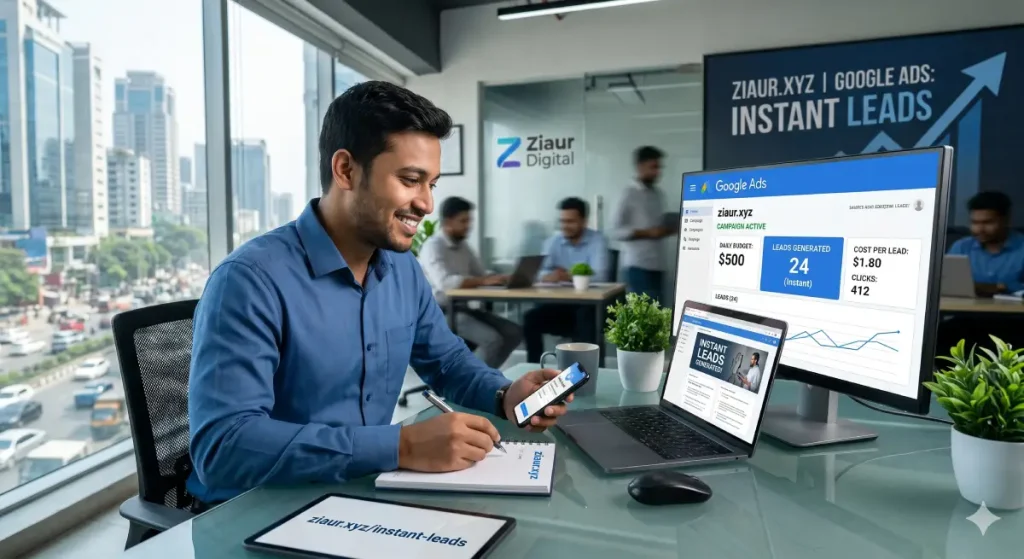
You published your website. You set up social media pages. You even tried a little SEO. But three months later, the phone is still quiet and your inbox is still empty.
That’s a frustrating place to be — especially when you know potential customers are out there actively searching for exactly what you offer.
Here’s the thing: Google Ads is the only digital marketing tool that puts your business in front of people the moment they’re looking to buy. Not after you’ve spent six months building organic traffic. Not after you’ve grown a social following. Right now. Today.
In this guide, I’m going to walk you through exactly how Google Ads works, why it generates leads faster than any other channel, and how to set it up the right way so you’re not just spending money — you’re making it back.
What Makes Google Ads Different From Everything Else?
Most marketing is interruption-based. You’re watching a YouTube video and an ad pops up. You’re scrolling Instagram and a sponsored post appears. You weren’t looking for that product — the ad found you anyway.
Google Ads works the opposite way.
When someone types “emergency plumber near me” or “best accounting software for small businesses” into Google, they’re already in buying mode. They have a problem. They want a solution. Your ad appearing at that exact moment isn’t an interruption — it’s the answer they were looking for.
That’s what makes Google Ads so powerful for lead generation. You’re not chasing people who might be interested. You’re meeting people who are actively looking.
Compare that to organic SEO, which is incredibly valuable but takes months to build momentum. Or email marketing, which works great for nurturing existing contacts but can’t generate cold leads on demand. Google Ads fills that gap — it generates qualified leads from day one.
The Types of Google Ads That Actually Drive Leads
Not every Google ad format is designed for lead generation. Let’s focus on the ones that work.
1. Search Ads (The Lead Generation Workhorse)
These are the text ads that appear at the top of Google search results. When someone searches for your service, your ad shows up — above the organic results, before any competitors who are only relying on SEO.
Search ads work because intent is built-in. The person typed a specific phrase looking for something specific. If your ad and landing page match that intent precisely, the conversion rate can be remarkably high.
For most local businesses and service providers, Search Ads are the starting point and often the best-performing campaign type.
2. Local Service Ads (Google’s Lead Generation Product)
If you’re a local business — a dentist, a lawyer, a home renovation contractor — Local Service Ads are worth knowing about. Unlike standard Search Ads where you pay per click, Local Service Ads charge you per verified lead. You only pay when someone calls or messages you directly through the ad.
They also show a “Google Guaranteed” or “Google Screened” badge, which builds instant trust with potential customers who’ve never heard of you before.
This ties in closely with local SEO strategies — combining both gives your business maximum visibility in local search results.
3. Performance Max Campaigns
Performance Max is Google’s AI-driven campaign type that runs ads across all of Google’s properties — Search, Display, YouTube, Maps, Gmail, and more — from a single campaign. You provide the creative assets (headlines, descriptions, images, videos), set your goals, and Google’s machine learning figures out the best placements to hit those goals.
It’s powerful but requires some experience to set up well. Start with Search Ads, then layer in Performance Max once you have some conversion data.
How Google Ads Actually Generates Leads: Step by Step
Let’s get practical. Here’s exactly how the lead generation process works end to end.
Step 1: Someone Searches for What You Offer
It starts with a search query. A person types something like “digital marketing agency Bangladesh” or “best SEO services for small business” into Google. Your keyword targeting determines whether your ad enters the auction for that search.
Step 2: Your Ad Wins the Auction and Appears
Google runs an instant auction every time someone searches. Your Ad Rank — which factors in your bid, Quality Score, and the relevance of your ad — determines where your ad shows up. The highest ad rank wins the top spot, but it’s not purely about who spends the most. Relevant, well-written ads with high Quality Scores can outrank bigger budgets.
Step 3: The Person Clicks Your Ad
Your headline, description, and ad extensions need to give the searcher a compelling reason to click. This is where copywriting matters. “Certified Google Ads Expert | Get More Leads in 30 Days | Free Consultation” is going to outperform “Digital Marketing Services | Contact Us Today” every single time.
Step 4: They Land on Your Landing Page
This is where most businesses lose the lead — not in the ad, but on the landing page. If someone clicks an ad for “emergency HVAC repair” and lands on your generic homepage, they’ll bounce immediately.
Your landing page needs to match the ad exactly. Same offer, same message, clear headline, a simple form or phone number front and center. The goal is one action: fill out the form or call you.
Step 5: They Convert Into a Lead
When the form is submitted or the call is made, that’s your lead. From there, it’s your sales process that takes over. But Google Ads did its job — it found a person who needed what you offer, got them to your site, and gave them a reason to reach out.
If you want to understand how well this process is working, tracking your results in Google Analytics is essential. You need to see which campaigns, keywords, and ads are actually driving conversions — not just clicks.
Setting Up a Google Ads Campaign That Actually Converts
Let me walk you through the key decisions that determine whether your campaign generates leads or just eats budget.
Keyword Research: The Foundation of Everything
Your ads only show when someone searches for terms you’re bidding on. Getting the keywords right is critical.
Start by thinking like your customer. What words do they actually use when they’re ready to hire someone or buy something? These are usually more specific than you’d think. “Marketing help” is vague. “Google Ads management service for e-commerce” is specific — and someone searching that phrase is much closer to buying.
A few keyword types to know:
- High-intent keywords — include words like “buy,” “hire,” “near me,” “best,” “service,” or “quote.” These tend to convert well.
- Branded keywords — people searching your business name directly. Always bid on these.
- Competitor keywords — bidding on competitor names can work, but watch your Quality Scores.
Use negative keywords religiously. If you’re a premium agency, add “free,” “DIY,” and “template” as negatives so you don’t pay for clicks from people who’ll never be your customers.
If you’re new to keyword strategy, this beginner’s guide to keyword research will give you a strong starting framework.
Writing Ads That Get Clicks
Google gives you three headlines and two descriptions to work with in a Responsive Search Ad. Use every character. Here’s what works:
- Include the main keyword in the first headline
- Highlight your unique selling point in the second headline (speed, credentials, guarantee, price)
- Use the third headline for a call-to-action
- In the descriptions, address the pain point and tell them exactly what to do next
Ad extensions are free to add and they make your ad take up more real estate. Add sitelinks to key pages, callout extensions for trust signals (“10+ Years Experience,” “Free Consultation”), and call extensions so people can dial directly from the ad.
Building a Landing Page That Converts
Your ad is only as good as the page it sends people to. A high-converting landing page for lead generation typically has:
- A clear headline that mirrors the ad promise
- A short paragraph explaining what they get and why you’re the right choice
- Social proof — testimonials, client logos, review stars
- A simple form with no more than 3-4 fields
- A phone number visible without scrolling
- One call-to-action — not five different options that create confusion
Remember: conversions are the goal, not traffic. Traffic alone doesn’t mean anything if the people landing on your page aren’t taking action.
Budget and Bidding Strategy
How much should you spend? There’s no universal answer, but here’s a practical framework.
Start by researching average cost-per-click for your keywords. Multiply that by the number of clicks you’d need to generate a lead (typically 10–30 clicks per conversion for a new campaign). That gives you a rough daily budget to start with.
For bidding strategy:
- New campaigns with no conversion data — use Manual CPC or Maximize Clicks to gather data first
- Once you have 30+ conversions in 30 days — switch to Target CPA (cost per acquisition) or Maximize Conversions
Don’t start with smart bidding before you have conversion history. Google’s algorithm needs data to optimize, and without it, you’ll overpay for the wrong clicks.
Common Mistakes That Burn Your Google Ads Budget
I’ve seen businesses spend thousands of dollars on Google Ads and get almost nothing back. Almost always, it comes down to one of these mistakes.
Sending Traffic to the Homepage
Your homepage is designed to introduce your entire business. Your landing page needs to match one specific offer. Never send paid traffic to your homepage — build dedicated landing pages for each campaign.
Ignoring Search Term Reports
Google will show your ads for search terms that are only loosely related to your keywords. Check your Search Terms Report weekly and add irrelevant searches as negative keywords. If you’re a B2B software company and your ads are showing for “how to make an app for free,” that’s wasted spend you need to eliminate immediately.
Not Tracking Conversions
If you don’t have conversion tracking set up, you’re flying blind. You won’t know which keywords are generating leads, which ads are converting, or whether you’re actually making money from your campaigns. Set up Google Ads conversion tracking before you spend a single dollar.
This is a prime example of the kind of digital marketing mistakes that end up costing businesses real money — not because the platform doesn’t work, but because the setup wasn’t done properly.
Setting It and Forgetting It
Google Ads requires active management. Check your campaigns at least weekly in the early stages. Review search terms, pause underperforming keywords, test new ad variations, and adjust bids based on performance data. The campaigns that generate the best ROI are the ones that get regular attention.
Ignoring Quality Score
Quality Score is Google’s rating of how relevant your ad and landing page are to the search query. A high Quality Score lowers your cost-per-click, meaning you pay less to appear in the same position as a competitor with a lower score. Improve Quality Score by tightening keyword-to-ad-to-landing-page relevance.
Google Ads vs. SEO: Which One Should You Use?
This is one of the most common questions I get, and the honest answer is: both, eventually. But they serve different purposes.
Google Ads gives you immediate visibility and immediate leads. The moment you turn a campaign on, your ads can appear. The moment you turn it off, they stop. It’s rented traffic — it works as long as you’re paying.
SEO builds organic rankings that bring traffic without ongoing ad spend. It takes time — often six to twelve months to see real results — but the traffic it generates is essentially free once you’ve built it. Understanding the difference between on-page and off-page SEO is essential if you want to build that long-term foundation.
The smart approach: use Google Ads to generate leads now while you build your organic presence through SEO. Once your SEO starts working, you can scale back ad spend or redirect it to new markets. They’re not competitors — they’re teammates.
If you want help building both sides of that equation — paid and organic — the services here cover everything from Google Ads management to full-scale SEO.
How to Measure Whether Your Google Ads Are Actually Working
More clicks isn’t the goal. More leads is the goal. These are the numbers that actually matter:
- Conversion Rate — what percentage of clicks turn into leads? Below 2% usually means your landing page needs work. Above 5% means you’re doing something right.
- Cost Per Lead (CPL) — how much are you paying for each lead? This varies hugely by industry. A plumber might be happy with a $20 lead. A law firm might be fine with $200.
- Return on Ad Spend (ROAS) — for every dollar you put in, how much revenue comes back? This is the ultimate measure of campaign success.
- Quality Score — monitor this per keyword. Low scores drive up costs.
- Impression Share — what percentage of eligible searches are you appearing for? Low impression share might mean your budget or bids need adjusting.
Connect your Google Ads account to Google Analytics for deeper insight into what happens after the click — which pages people visit, how long they stay, where they drop off. Tracking website traffic through Google Analytics gives you the full picture that Google Ads alone can’t show you.
Is Google Ads Worth It for Small Businesses?
Yes — but with a caveat.
Google Ads works for small businesses when you’re clear on your target customer, your landing page is optimized for conversions, and you’re tracking results properly. With those three things in place, even a modest daily budget can generate consistent, qualified leads.
Without them, you can easily burn through a budget and have nothing to show for it. The platform itself isn’t the problem — it’s the strategy and execution.
The businesses I’ve seen get the best results with Google Ads tend to have a few things in common: a specific niche, a clear offer, a well-designed landing page, and the discipline to review and improve their campaigns regularly.
If you’re running a local business, pairing Google Ads with a solid local SEO strategy amplifies everything. Your paid ads get the instant leads while your organic listings build long-term authority and trust.
Quick-Start Google Ads Checklist
If you’re ready to launch your first campaign, here’s a simple checklist to make sure you have the basics covered:
- ✅ Google Ads account created and linked to Google Analytics
- ✅ Conversion tracking installed (form submissions, calls, or purchases)
- ✅ Keyword research done — including negatives
- ✅ Dedicated landing page built (not homepage)
- ✅ Responsive Search Ad written with clear headlines and CTA
- ✅ Ad extensions added (sitelinks, callouts, call extension)
- ✅ Daily budget set and bid strategy chosen
- ✅ Campaign reviewed after first week of data
Final Thoughts
Google Ads is genuinely one of the fastest ways to generate leads for almost any business. The intent is built in. The audience is self-selecting. When someone searches for what you sell and your ad appears with a clear, relevant offer, the conversion path is incredibly direct.
But fast doesn’t mean effortless. The businesses that get the best results treat Google Ads as a system — one that needs the right keywords, compelling ads, optimized landing pages, and ongoing management to perform well.
If you’re thinking about launching Google Ads but want to make sure your campaigns are set up properly from the start, I’d be glad to help. Whether it’s a one-time audit or full paid advertising management, the goal is always the same: turn your ad budget into actual leads and real revenue.
Have questions about running Google Ads for your specific business? Get in touch here — I read every message.