
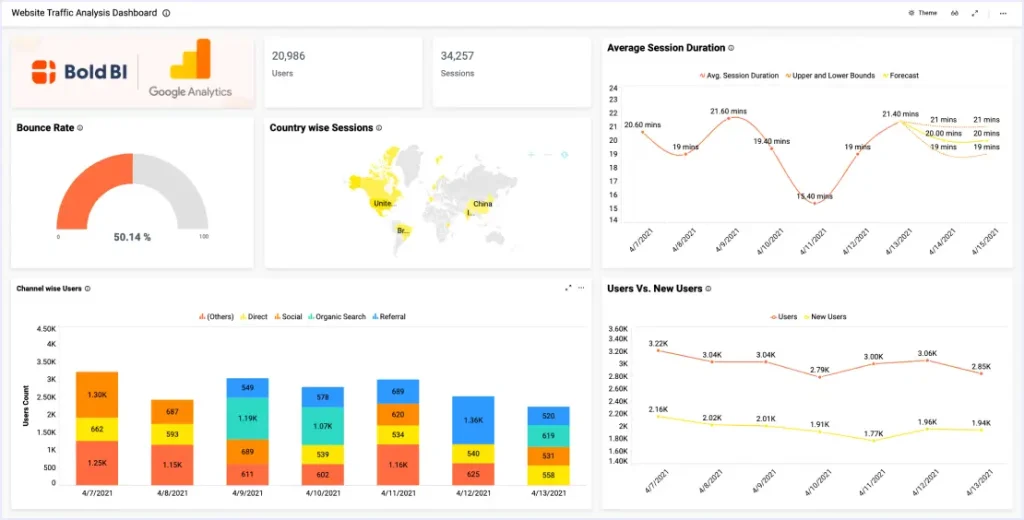
Every successful online business runs on data. Without knowing who is visiting your website, where they come from, and what they do when they arrive, you are essentially driving with your eyes closed. Google Analytics — now in its most powerful iteration, GA4 — is the free, industry-standard tool that answers all of these questions and much more.
Whether you are a startup founder, an eCommerce store owner, or the best SEO expert in Bangladesh, mastering Google Analytics is non-negotiable. This guide walks you through everything: from initial setup, to reading traffic data, to layering in local SEO, AEO, GEO, earned content, and email marketing strategies that compound your results.
| 💡 Pro Insight
Google Analytics 4 is no longer optional. Universal Analytics was sunset in July 2023. If you haven’t migrated yet — or haven’t set up GA4 from scratch — now is the time. This guide covers GA4 exclusively. |
1. Why Website Traffic Tracking Matters
The digital landscape is more competitive than ever. With millions of websites competing for the same eyeballs, understanding your traffic is the foundation of every decision — from which blog posts to write, to which email marketing campaigns to launch, to where to invest your ad budget.
Traffic data answers fundamental business questions:
- Who is your audience? Age, location, device, language — understand exactly who lands on your pages.
- How did they find you? Organic search, social media, email, direct — trace every click back to its source.
- What converts? Which pages drive sales, form fills, or calls? GA4’s event tracking reveals it all.
- Where is the drop-off? Funnel analysis shows exactly where users abandon so you can fix the leaks.
2. Setting Up Google Analytics 4 (GA4)
Getting GA4 live on your website takes less than 15 minutes. Here’s the step-by-step process:
- Create a Google Analytics Account: Go to analytics.google.com, sign in with your Google account, and click ‘Start measuring.’ Give your account a name (usually your brand name).
- Set Up a Property: A property represents your website. Enter your website URL, business category, and reporting time zone. GA4 creates a data stream for your site automatically.
- Install the Tracking Code: Copy your Measurement ID (G-XXXXXXX) and add the gtag.js snippet to every page of your website, ideally via Google Tag Manager for flexibility.
- Verify Data is Flowing: Use the ‘Realtime’ report in GA4 to confirm that your own visits are being tracked. You should see yourself as an active user within seconds of visiting your site.
- Link Google Search Console: Connect GA4 with Google Search Console for full keyword-level insights. This reveals which queries bring visitors and your average click-through rate (CTR) for each.
- Set Up Conversions: Define what ‘success’ looks like — form submission, purchase, button click. Mark these events as conversions so GA4 can attribute them to the right traffic source.
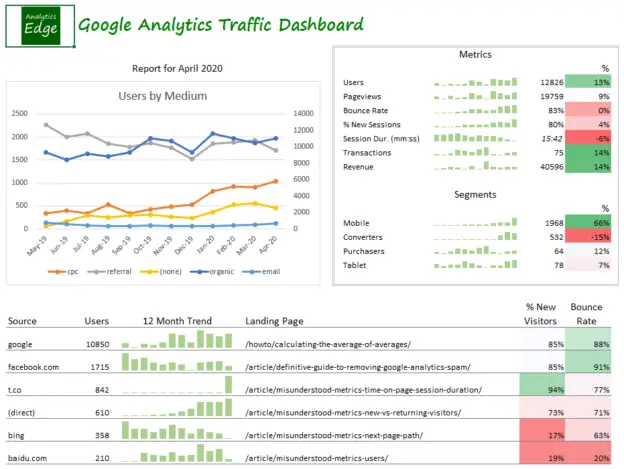
3. Key Metrics Every Marketer Must Track
GA4 tracks hundreds of data points, but these are the ones that actually move the needle for local SEO and growth-focused businesses:
| Metric | What It Measures | Why It Matters |
| Sessions | Total visits to your site | Overall traffic volume benchmark |
| Users | Unique individuals (new + returning) | Real audience size indicator |
| Engagement Rate | Sessions with meaningful interaction | Replaced bounce rate in GA4; shows content quality |
| Avg. Session Duration | Time users spend per visit | Measures content depth and relevance |
| Pages per Session | How many pages users view | Site navigation and internal linking health |
| CTR | Clicks divided by Impressions | Reflects meta title/description effectiveness |
| Conversions | Completed goals (leads, sales) | The ultimate ROI metric |
| New vs. Returning | First-time vs. repeat visitors | Audience loyalty and content stickiness |
4. Understanding Traffic Sources in GA4
GA4 organizes traffic into channels — where your visitors come from. Knowing your channel mix helps you double down on what works and fix what doesn’t.
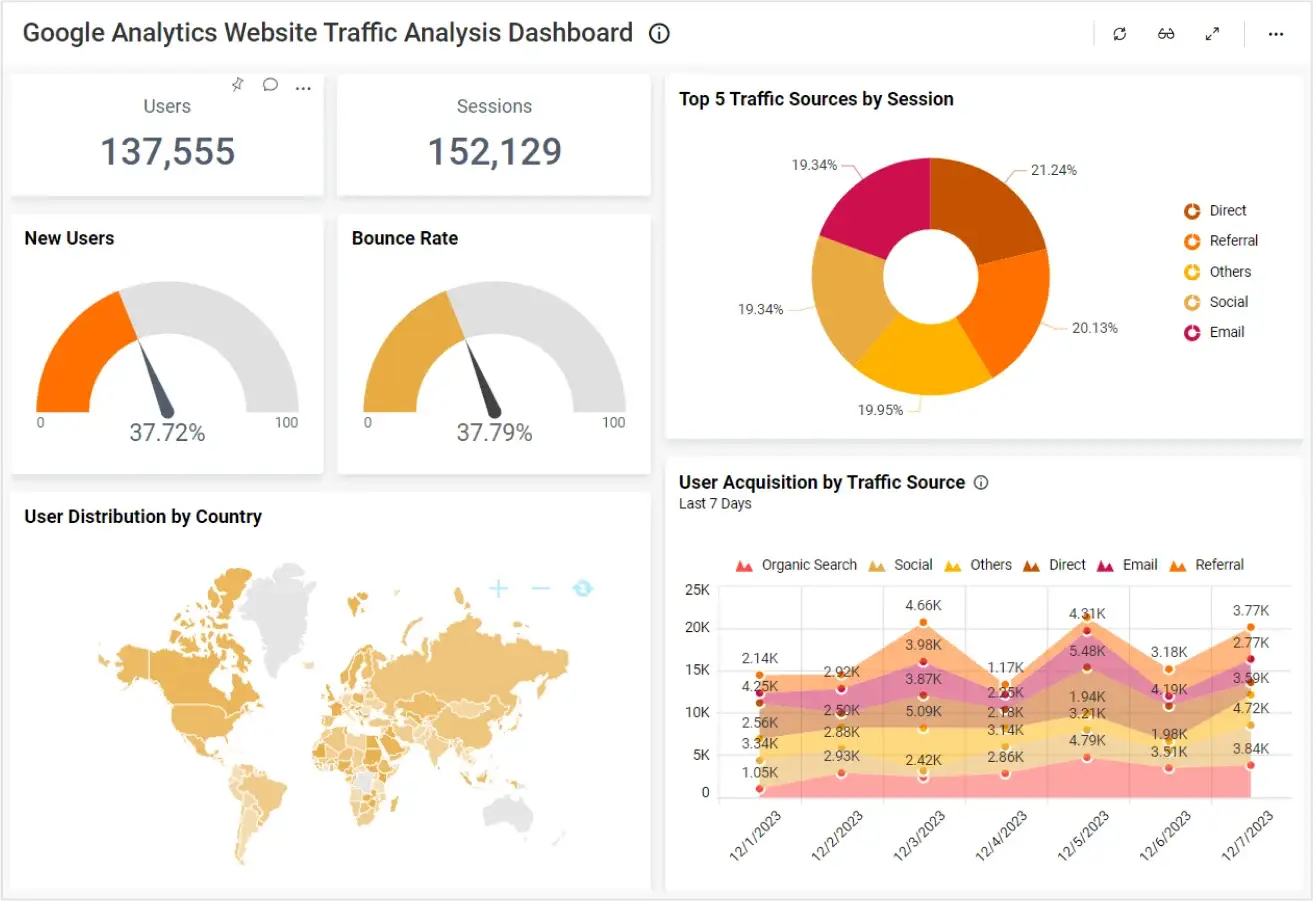
The main traffic channels to watch are Organic Search (visitors who found you via Google), Direct (typed your URL), Email (from your campaigns), Referral (other websites linking to you), Social (Facebook, LinkedIn, etc.), and Paid Search (Google Ads). For most businesses, Organic Search should be the dominant channel — and that is exactly where local SEO and content strategy pay dividends.
“If you can’t measure it, you can’t improve it. Google Analytics doesn’t just show you traffic — it shows you the truth about your digital strategy.”
5. Local SEO, AEO & GEO — The Holy Trinity of Modern Search
For businesses targeting customers in specific regions — like anyone seeking the best SEO expert in Bangladesh — three interconnected disciplines are now essential in 2026:
Local SEO (Location-Based Optimization)
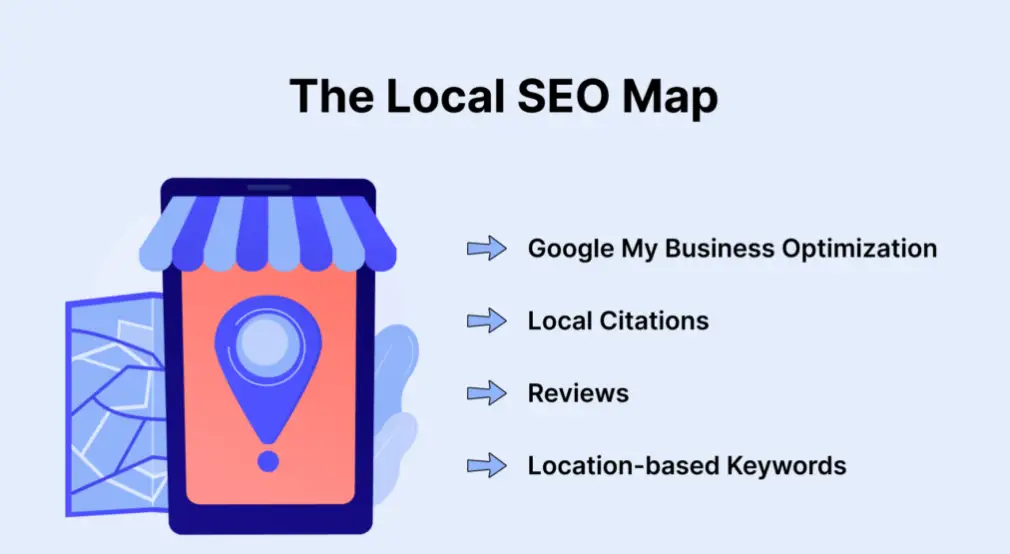
Local SEO focuses on ranking your business for geographically relevant searches — ‘digital marketing agency in Dhaka’ or ‘SEO consultant Bangladesh.’ GA4 helps you track local traffic by navigating to Reports → Demographics → Location, where you can see which cities and countries are driving visits. Combine this with Google Search Console to find which local keywords you’re ranking for and their CTR.
AEO — Answer Engine Optimization
AEO is the practice of optimizing your content to appear as direct answers in Google’s featured snippets, People Also Ask boxes, and voice search results. With AI-powered search growing rapidly, AEO is becoming as important as traditional SEO. In GA4, you can track AEO performance by monitoring pages that generate high impressions but zero-click traffic — a signal your content is answering queries directly on the SERP.
GEO — Generative Engine Optimization
GEO is the newest frontier: optimizing your content to appear in AI-generated responses from tools like ChatGPT, Gemini, and Google’s AI Overviews. The best way to build GEO authority is through high-quality earned content, structured data markup, and E-E-A-T signals (Experience, Expertise, Authoritativeness, Trust) — all of which also strengthen your GA4 organic traffic over time.
6. What Is Earned Content & Why It Drives Organic Traffic
If you’ve ever asked yourself “what is earned content?” — here’s the answer: earned content is any online mention, coverage, or link your brand receives without paying for it. It includes press coverage, guest articles, social media shares, backlinks, podcast mentions, and forum references.
Unlike paid content (ads) or owned content (your blog), earned content is the most trusted form of marketing because it comes from third-party voices. It is also one of the most powerful drivers of referral traffic that you can track in GA4 under Reports → Acquisition → Traffic Acquisition → Referral.
| 📌 Key Takeaway
Earned content builds domain authority, fuels GEO visibility, and generates referral traffic — all trackable in GA4. Actively pursue press mentions, guest posts, and shareable infographics as part of your traffic strategy. |
To grow your earned content footprint: publish original research and statistics, create tools or calculators others want to reference, engage in thought leadership on LinkedIn, and build relationships with journalists and bloggers in your niche. Every new backlink shows up in your Referral channel in GA4 — making it a measurable, trackable growth lever.
7. Email Marketing + GA4: Tracking Your Campaigns
Email marketing remains the highest-ROI digital channel — averaging $36 return for every $1 spent. But without proper GA4 integration, you’re flying blind on which emails actually drive website visits and conversions.
The key is UTM parameters — tracking codes you append to every link in your emails. A properly tagged email link looks like this:
When subscribers click this link, GA4 records it under the Email channel with full campaign attribution. You can then see in GA4 exactly how many sessions, conversions, and revenue each email campaign generated — making it easy to double down on what works.
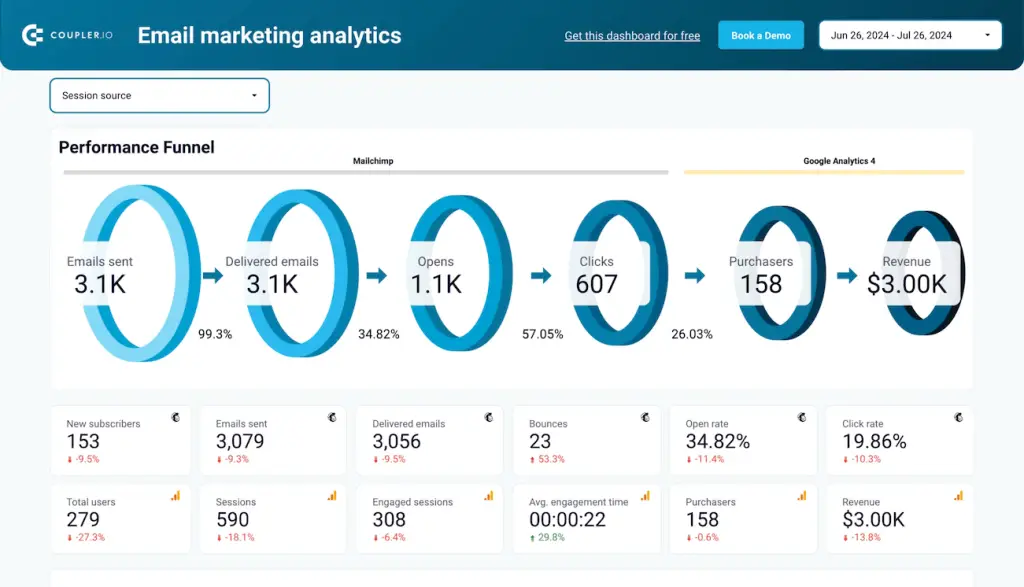
What to Track in GA4 for Email
Navigate to Acquisition → Traffic Acquisition and filter by ‘Email’ to see all sessions from your campaigns. Then cross-reference with Engagement → Pages and Screens to see which landing pages email visitors engage with most. Set up conversion events for form submissions or purchases to calculate your email campaign’s true ROI directly inside GA4.
8. Leveraging Google Business Profile for Local Traffic
A well-optimized Google Business Manager (also called Google Business Profile) is one of the most underutilized traffic sources for local businesses. When someone searches for your business or a related service in your area, your Business Profile appears in the map pack — and clicks from there drive direct and organic traffic to your website.
To connect your Google Business Profile performance with GA4, go into your Business Profile dashboard and add UTM parameters to the ‘Website’ link. For example: yoursite.com/?utm_source=google&utm_medium=gbp&utm_campaign=local. This allows GA4 to separately track every visitor who clicked through from your Business Profile, so you can quantify the value of your Top Google Business Manager optimization efforts.
| 🗺️ Local Traffic Tip
Regularly update your Google Business Profile with posts, photos, and offers. More engagement signals to Google that your profile is active — which improves your local ranking and drives more GA4-trackable traffic to your site. |
9. CTR Optimization: Turning Impressions Into Clicks
Your Click-Through Rate (CTR) is one of the most actionable metrics at the intersection of Google Search Console and GA4. A high impression count with a low CTR means your pages are ranking but not compelling enough for users to click — and that’s lost traffic you already earned.
Here’s how to improve CTR systematically:
- Write Magnetic Title Tags: Include your primary keyword, a number or power word, and a clear benefit. ‘7 Ways the Best SEO Expert in Bangladesh Tracks Traffic’ outperforms a generic title every time.
- Craft Compelling Meta Descriptions: Think of your meta description as a 160-character ad. Use action verbs, address the user’s intent, and include a mini-CTA like ‘Learn how’ or ‘Read the full guide.’
- Add Structured Data (Schema Markup): FAQ, HowTo, and Article schema can earn rich results — star ratings, FAQ accordions, and breadcrumbs — that dramatically increase visual real estate and CTR.
- Match Search Intent Exactly: If a user’s intent is informational (‘how to’), your title and meta must signal a clear, educational answer. If commercial (‘best SEO expert’), highlight expertise and trust signals.
- A/B Test Your Titles: Use Google Search Console to compare CTR before and after changing a title. Small tweaks — adding brackets, dates, or specificity — can lift CTR by 20–40%.
10. Expert Tips from the Best SEO Expert in Bangladesh
As someone working in the digital marketing space across South Asia, including for businesses seeking the best SEO expert in Bangladesh, here are the high-leverage GA4 moves that separate top performers from the rest:
- Segment, Don’t Average: Average metrics hide problems. Create segments for mobile vs. desktop, new vs. returning, and organic vs. email to find insights hidden in aggregate data.
- Set Up Alerts: GA4’s custom alerts notify you of sudden traffic drops or spikes via email — so you catch algorithm updates or site issues before they become disasters.
- Compare Periods: Always compare this month to the same month last year (year-over-year), not just month-over-month, to remove seasonal noise.
- Track Internal Links: Use GA4’s event tracking to see which internal links users click most — then promote your highest-converting pages through better internal linking.
Additionally, always maintain a GA4 + Search Console + Google Business Profile trifecta. These three tools, used together, give you a 360-degree view of your online visibility — from keyword impressions to on-site engagement to offline direction requests from your Business Profile.
Conclusion: Data is Your Competitive Edge
Tracking website traffic with Google Analytics 4 isn’t just a technical task — it’s a strategic superpower. When you understand where your visitors come from, what they want, and what makes them convert, every marketing decision you make becomes sharper, faster, and more profitable.
Layer in local SEO, AEO, and GEO to dominate modern search. Invest in earned content to build authority that compounds over time. Use UTM-tagged email marketing links to close the attribution loop. Optimize your Top Google Business Manager profile to capture local intent. And obsess over CTR because impressions without clicks are wasted potential.
Whether you’re a solo entrepreneur or a growing agency — including anyone looking for the best SEO expert in Bangladesh to guide them — the businesses that win in 2026 are the ones that treat their analytics data as a daily practice, not a monthly afterthought.
| Ready to Turn Your Traffic Data Into Real Growth?
Get a free GA4 audit and discover exactly what your analytics are telling you — and what to do about it. |